

Introduction
Enterprise applications demand more than fast page loads. They require scalability, maintainability, security, and an excellent developer experience. Next.js 15 introduces improvements that help teams build production ready applications with better performance and flexibility.
This guide covers practical best practices for building enterprise applications with Next.js 15. Whether you're developing an internal dashboard, a SaaS platform, or a large e commerce website, these recommendations will help you create reliable applications that scale.
Why Choose Next.js for Enterprise Applications?
Next.js has become one of the leading React frameworks because it provides many features out of the box.
Some of its key advantages include:
- App Router
- Server Components
- Server Actions
- Partial Prerendering
- Built in Image Optimization
- Route Handlers
- Streaming UI
- Middleware
- SEO support
These features reduce the need for additional libraries while improving performance and maintainability.
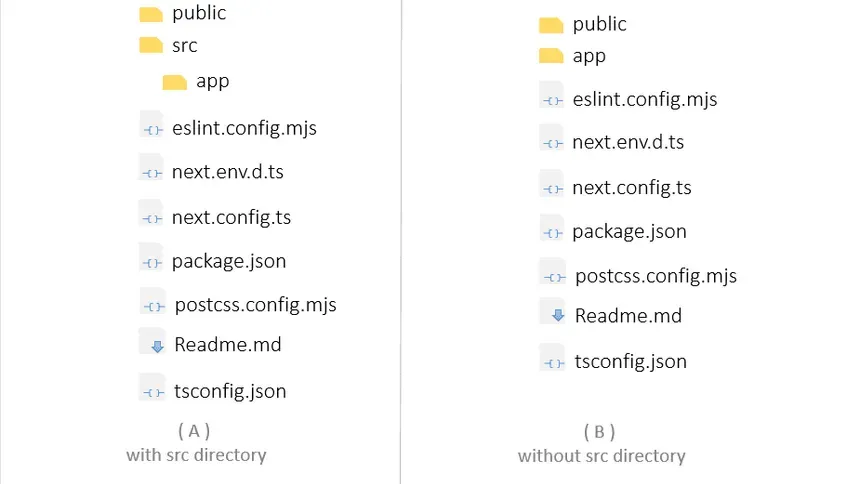
Organize Your Project Structure
A clear folder structure makes large applications easier to maintain.
Example:
app/
components/
features/
hooks/
lib/
services/
types/
utils/
public/
Keep business logic separated from UI components.
For example:
componentscontains reusable UI.featurescontains domain specific functionality.servicesmanages API communication.libstores shared utilities.typescontains TypeScript interfaces.
This organization helps teams work independently without creating unnecessary dependencies.
Prefer Server Components
Server Components reduce JavaScript sent to the browser.
Instead of fetching data inside client components, fetch data on the server whenever possible.
Example:
async function ProductsPage() {
  const products = await getProducts()

  return (
    <ProductList products={products} />
  )
}
Benefits include:
- Smaller client bundles
- Faster rendering
- Improved SEO
- Reduced API requests
Only use Client Components when browser APIs or user interaction require them.
Use Server Actions Carefully
Server Actions simplify form handling without creating separate API routes.
Example:
"use server"

export async function createUser(formData: FormData) {
  const name = formData.get("name")

  await db.user.create({
    data: {
      name: String(name),
    },
  })
}
Best practices:
- Validate all input.
- Handle errors gracefully.
- Keep actions focused on one responsibility.
- Avoid placing complex business logic directly inside actions.
Build Reusable UI Components
Enterprise projects often contain hundreds of pages.
Avoid duplicate code by building reusable components.
Examples:
- Button
- Card
- Modal
- Table
- Pagination
- Empty State
- Loading Spinner
- Error Message
Reusable components improve consistency and reduce maintenance costs.
Use TypeScript Everywhere
Type safety becomes increasingly valuable as projects grow.
Example:
interface User {
  id: string
  name: string
  email: string
  role: "admin" | "editor" | "user"
}
Benefits include:
- Better autocomplete
- Earlier bug detection
- Easier refactoring
- Improved developer productivity
Avoid using any unless absolutely necessary.
Create a Dedicated API Layer
Instead of calling APIs throughout your application, centralize them.
Example:
export async function getUsers() {
  const response = await fetch("/api/users")

  if (!response.ok) {
    throw new Error("Failed to fetch users")
  }

  return response.json()
}
This approach makes testing and maintenance easier.
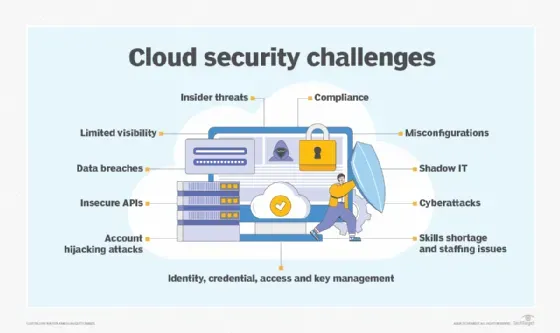
Secure Sensitive Data
Security should be part of every enterprise application.
Recommendations:
- Store secrets in environment variables.
- Never expose API keys to the client.
- Validate every request.
- Implement authentication and authorization.
- Sanitize user input.
- Enable security headers.
Security should be reviewed throughout development, not only before deployment.
Suggested image:
"Cybersecurity shield protecting cloud applications"
Optimize Performance
Performance directly affects user experience.
Follow these practices:
- Use the
next/imagecomponent. - Optimize fonts with
next/font. - Cache server requests when appropriate.
- Lazy load heavy components.
- Use dynamic imports.
- Minimize client side JavaScript.
Example:
import dynamic from "next/dynamic"

const Chart = dynamic(() => import("./Chart"))
Measure performance regularly using Lighthouse and Core Web Vitals.
Implement Error Handling
Applications should recover gracefully from failures.
Create:
error.tsxnot-found.tsx- Global error boundaries
Example:
export default function Error() {
  return (
    <div>
      Something went wrong.
    </div>
  )
}
Provide meaningful error messages without exposing internal implementation details.
Use Authentication and Authorization
Authentication identifies users.
Authorization determines what they can access.
Examples:
- NextAuth.js
- Clerk
- Auth0
- Custom JWT authentication
Protect:
- Dashboard routes
- Admin pages
- API endpoints
- Server Actions
Never rely only on client side checks.
Optimize Database Access
Database performance becomes critical as applications scale.
Recommendations:
- Use indexing.
- Prevent N+1 queries.
- Paginate large datasets.
- Cache frequently requested data.
- Optimize expensive queries.
Example:
const users = await prisma.user.findMany({
  take: 20,
  skip: page * 20,
})
Efficient database access improves both response time and infrastructure costs.
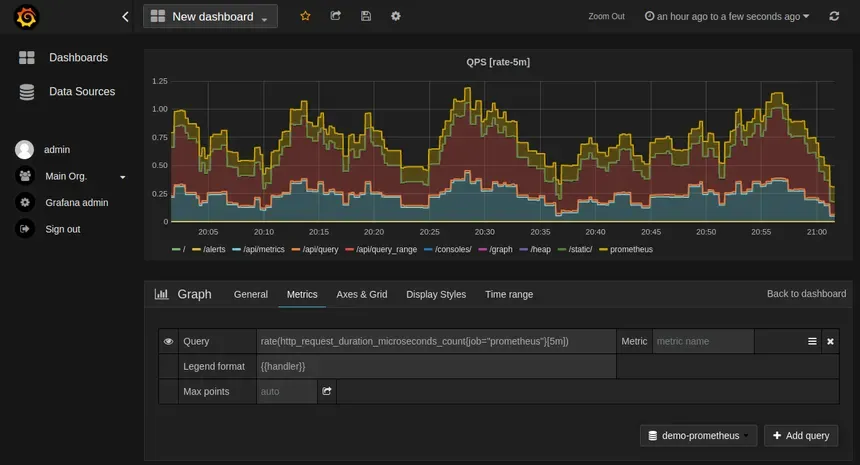
Logging and Monitoring
Production applications need visibility.
Monitor:
- API failures
- Slow database queries
- Server errors
- Performance metrics
- User activity
Popular tools include:
- Sentry
- Datadog
- Grafana
- OpenTelemetry
Logging helps teams diagnose issues before they affect large numbers of users.
Testing Strategy
Testing increases confidence when releasing new features.
A balanced testing strategy includes:
- Unit tests
- Integration tests
- End to end tests
Popular tools:
- Vitest
- Jest
- Playwright
- Cypress
Automated testing reduces production bugs and simplifies deployments.
CI/CD Pipeline
Automate your deployment process.
Typical pipeline:
- Install dependencies.
- Run linting.
- Execute tests.
- Build the application.
- Deploy automatically.
Continuous Integration helps catch issues before code reaches production.
Deployment Best Practices
Before deploying:
- Enable compression.
- Configure caching.
- Optimize images.
- Review environment variables.
- Monitor build size.
- Verify security headers.
- Test production builds locally.
Cloud platforms such as Vercel, AWS, Azure, and Google Cloud all support enterprise Next.js deployments.
Common Mistakes to Avoid
Avoid these common issues:
- Fetching everything in Client Components.
- Ignoring TypeScript errors.
- Duplicating business logic.
- Storing secrets in the frontend.
- Using large client side libraries unnecessarily.
- Skipping performance monitoring.
- Not handling loading and error states.
Preventing these mistakes early saves significant development time.
Conclusion
Next.js 15 provides an excellent foundation for enterprise applications. Features such as Server Components, Server Actions, streaming, and the App Router help teams build scalable, maintainable, and performant applications.
Success depends on more than choosing the right framework. Organizing code, securing sensitive data, optimizing performance, monitoring production systems, and maintaining strong testing practices all contribute to a reliable enterprise application that can evolve as business requirements grow.