


Introduction
React is designed to update the UI efficiently through its Virtual DOM. Even so, poor component structure, unnecessary state updates, and large bundles can slow down an application.
A high performance React application should:
- Load quickly
- Respond instantly to user actions
- Render only when necessary
- Scale as the application grows
This article explains how to achieve these goals.
Why Performance Matters
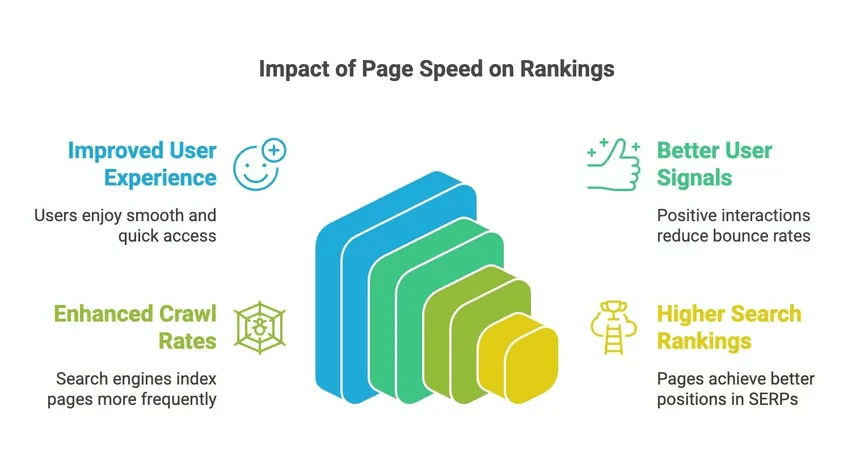
Performance directly affects business metrics.
Benefits include:
- Faster page load times
- Better user engagement
- Lower bounce rates
- Improved Core Web Vitals
- Better SEO rankings
- Reduced infrastructure costs
Google reports that even small delays in page loading increase abandonment rates.
1. Reduce Unnecessary Re-renders
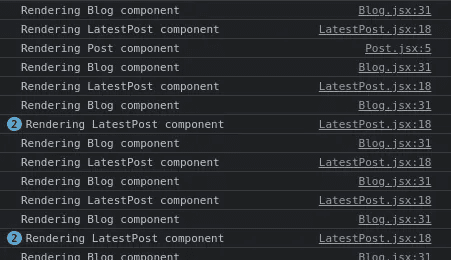
React updates components whenever state or props change.
The problem begins when components render even though their output has not changed.
Example
const UserCard = React.memo(({ user }) => {
  return <h2>{user.name}</h2>;
});
React.memo() prevents re-rendering if props remain unchanged.
Useful for:
- Cards
- Tables
- Dashboard widgets
- Large lists
Memoizing Functions
Functions are recreated during every render.
Use useCallback().
const handleClick = useCallback(() => {
  console.log("Clicked");
}, []);
Now the same function instance is reused.
Memoizing Expensive Calculations
Complex calculations should not execute on every render.
const sortedUsers = useMemo(() => {
  return users.sort(compareUsers);
}, [users]);
useMemo() caches the result until dependencies change.
2. Split Your Code
Large JavaScript bundles increase loading time.
React supports lazy loading.
const Dashboard = React.lazy(() => import("./Dashboard"));Wrap with Suspense.
<Suspense fallback={<Loader />}>
    <Dashboard />
</Suspense>
Benefits:
- Smaller initial bundle
- Faster first paint
- Better user experience

3. Optimize State Management
Avoid storing unnecessary state.
Poor example:
const [fullName, setFullName] = useState(
    firstName + lastName
);
Instead:
const fullName = `${firstName} ${lastName}`;Derived values should not become state.
Also:
- Keep state local
- Lift state only when needed
- Avoid deeply nested objects
4. Virtualize Long Lists
Rendering thousands of items slows React.
Instead, render only visible items.
Libraries:
- react-window
- react-virtualized
Example:
<FixedSizeList
    height={500}
    width={400}
    itemSize={40}
    itemCount={10000}
>
    {Row}
</FixedSizeList>
Only visible rows are rendered.
5. Optimize Images
Images often consume more bandwidth than JavaScript.
Best practices:
- Compress images
- Use WebP or AVIF
- Enable lazy loading
<img
    src="image.webp"
    loading="lazy"
    alt="Dashboard"
/>
Responsive images:
<img
  srcSet="small.webp 400w,
          medium.webp 800w,
          large.webp 1200w"
  sizes="(max-width:768px)100vw,50vw"
/>
6. Avoid Anonymous Functions Inside JSX
Bad:
<button onClick={() => deleteUser(id)}>Better:
const handleDelete = useCallback(() => {
    deleteUser(id);
}, [id]);
This prevents unnecessary function creation.
7. Use Production Builds
Development builds contain debugging features.
Always deploy:
npm run buildor
yarn buildProduction builds are:
- Smaller
- Faster
- Optimized
8. Monitor Performance
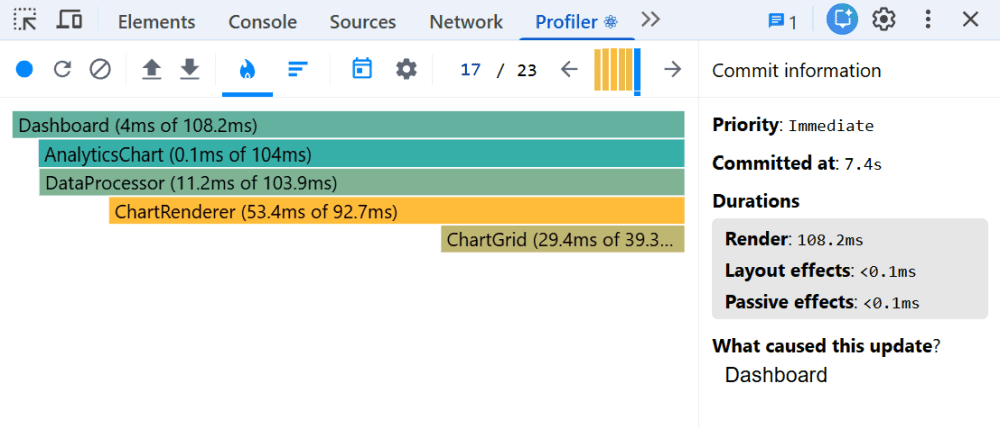
Optimization without measurement is guesswork.
Useful tools:
- React DevTools Profiler
- Chrome DevTools Performance Tab
- Lighthouse
- Web Vitals
Measure:
- First Contentful Paint
- Largest Contentful Paint
- Interaction to Next Paint
- Total Blocking Time
9. Prevent Large Context Updates
Context updates every consumer.
Instead of:
<AppContext.Provider value={bigObject}>Split context.
Example:
ThemeContext UserContext SettingsContextSmaller contexts reduce unnecessary renders.
10. Debounce User Input
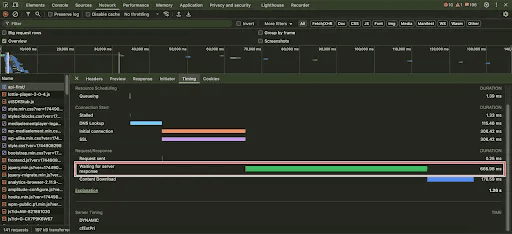
Search inputs often trigger API requests after every keystroke.
Debounce input.
const debouncedSearch = debounce(searchUsers, 300);Benefits:
- Fewer API requests
- Less rendering
- Better responsiveness
11. Cache Server Data
Avoid repeated API requests.
Libraries:
- React Query
- SWR
Example:
const { data } = useQuery({
    queryKey: ["users"],
    queryFn: fetchUsers,
});
Benefits:
- Automatic caching
- Background updates
- Better perceived performance
12. Minimize Bundle Size
Use bundle analyzers.
npm install source-map-explorerAnalyze:
npx source-map-explorer build/static/js/*.jsLook for:
- Duplicate libraries
- Large dependencies
- Unused packages
Performance Checklist
Before shipping a React application, verify the following:
- React.memo used where appropriate
- useMemo applied for expensive computations
- useCallback for stable handlers
- Lazy loading implemented
- Images optimized
- Virtualized long lists
- Bundle analyzed
- Production build generated
- Lighthouse score checked
- React Profiler reviewed
Common Performance Mistakes
Avoid these frequent issues:
- Storing derived values in state
- Passing new object literals as props
- Updating global context too often
- Rendering very large lists
- Importing entire utility libraries for a few functions
- Loading all routes at startup
- Ignoring image optimization
- Skipping performance profiling
Final Thoughts
Building fast React applications starts with measuring performance, reducing unnecessary work, and loading only what users need. Small improvements such as memoizing components, splitting code, virtualizing long lists, and optimizing images add up to a noticeably smoother experience.
Treat performance as an ongoing part of development rather than a final cleanup step. Regular profiling and monitoring help keep your application responsive as new features are added.